From quote to cash to done — without the chaos
Send estimates your clients approve in one click, collect payment online, and let automations start the work the moment you're paid. Built for small teams who'd rather do the job than chase the admin.
No credit card required · Set up in under 5 minutes
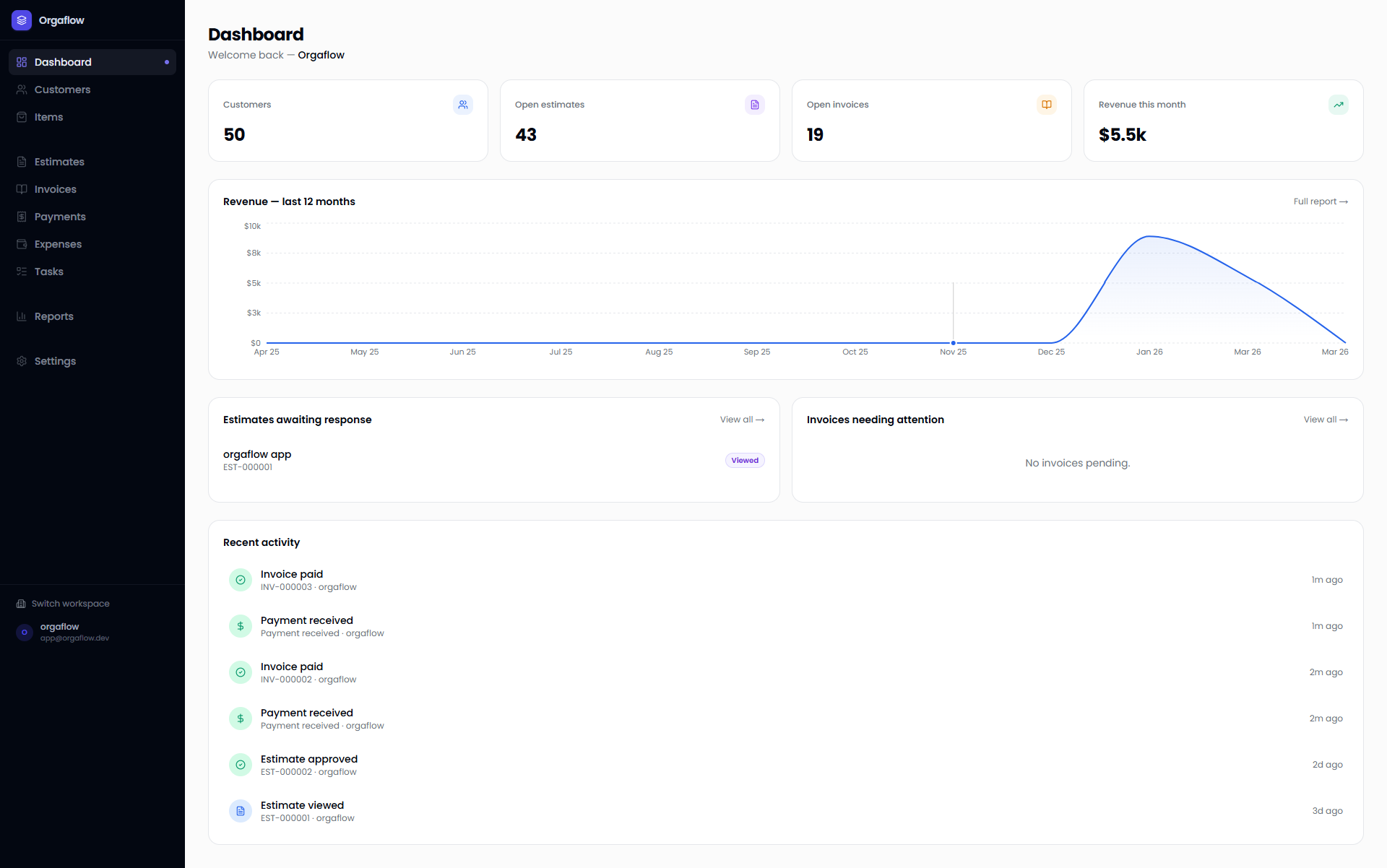
Stop running your business across five disconnected tabs
You quote in Google Docs, invoice in another tool, chase payments by email, and track the actual work on sticky notes. Things slip. Clients wait. You lose hours every week to handoffs that should be automatic.
Orgaflow puts the whole cycle — estimate, approval, invoice, payment, and the work that follows — in one place, so nothing falls through the cracks.
Features
Everything your team needs, nothing it doesn't
Estimates & Invoices
Build professional quotes with line items, send a secure link, and get a one-click approval — no client login required. Convert any approved estimate to an invoice instantly, branded PDF included.
Customer CRM
Every client in one place: history, activity, and every linked estimate and invoice — scoped to your workspace. Know exactly where each relationship stands before you pick up the phone.
Automations + Tasks —
your team on autopilot
Here's where Orgaflow pulls ahead: the moment a client pays an invoice or approves an estimate, Orgaflow creates the task and assigns it to the right person. No manual handoffs, no dropped balls.
Automation rule
Task board
Design mockup
Client call
Invoice #034
Setup meeting
Estimate sent
Contract signed
Reports & Analytics
Revenue by period, outstanding balances, quote-to-win conversion — the numbers that actually run a small business, no accounting degree required.
Revenue this month
$18,340
Payments & Collections
Log payments manually or let clients pay online via Stripe. See what's collected, outstanding, and overdue — per invoice, per client, per period — at a glance.
Collected
$18,340
Outstanding
$4,200
Overdue
$890
How it works
Up and running in minutes
Set up in 2 minutes
Sign up, name your workspace, invite your team. Set your currency, taxes, and branding once.
Win clients with shareable quotes
Add clients, build an estimate with line items, and send a secure link. They approve in one click — no account, no friction.
Get paid, then let it run
Convert the approved quote to an invoice, collect payment online, and let automations spin up the work automatically.
Why Orgaflow
Not another accounting app
FreshBooks and QuickBooks are built for your bookkeeper. Orgaflow is built for you — the person winning the work and getting it done. We start where the money starts (the quote) and don't stop until the job's delivered. Keep your accountant; we'll handle everything before the books.
Testimonials
Loved by growing teams
“Our quoting-to-payment cycle went from 2 weeks to 3 days. Orgaflow replaced three separate tools overnight.”
Sarah Mitchell
Founder, Pixel & Co.
“The automation features alone save us 5+ hours a week. Tasks are created the moment a client pays.”
Marcos Oliveira
CEO, BuildRight
“Finally a platform that actually understands how small businesses work. The Kanban linked to invoices is a game-changer.”
Julia Chen
Operations Lead, Craft Studio
FAQ
Common questions
How is Orgaflow different from FreshBooks or QuickBooks?
Those are accounting tools. Orgaflow is built around the estimate-to-payment-to-delivery workflow — quoting, invoicing, payments, and the tasks that follow, in one place, without the accounting overhead.
Can clients approve estimates without an account?
Yes. Every estimate gets a secure shareable link where clients review and approve in one click — no signup required.
Is there a free plan?
Yes. Starter is free and gives solo operators the core estimate, invoice, customer, and item workflow, with usage limits.
Do you support multiple currencies?
Yes. Set a default currency for your workspace and per-client currencies for international work.
Is this good for solo freelancers?
Absolutely. Starter is built for one-person operations, and Orgaflow scales as your team grows.
Can I import my existing clients and invoices?
Yes — add clients individually or in bulk. Most teams are fully set up in under five minutes.
How do online payments work?
Connect Stripe (Scale plan) and clients pay invoices online. Status updates automatically when an invoice is fully paid.
Stop juggling tools. Start closing the loop.
Join the small teams that quote faster, get paid sooner, and never lose a job to admin work. Free to start, set up in under five minutes.